CPaaS X: Multi-tenant communication layer
Manage traffic, resources (phone numbers, sender IDs, email domains), and reporting separately for each customer, brand, or business unit you support, all from a single Infobip account. CPaaS X handles multi-tenant isolation, onboarding, routing, and tracking at the platform level so you avoid building it yourself.
Built for platforms, communication service providers, and agencies serving multiple clients.
CPaaS X is available only for main accounts. Subaccounts cannot access CPaaS X features.
What is CPaaS X [#what-is-cpaas-x]
CPaaS X is a multi-tenant communication layer built on top of the Infobip CPaaS Platform that isolates messaging traffic, resources, and reporting for each customer, brand, or business unit you manage from a single account.
CPaaS X sits between your platform and the Infobip messaging infrastructure. When you create applications and entities (think of them as your projects and tenants), CPaaS X maps every API call, message, delivery receipt, and webhook to the correct tenant so your customers operate in complete isolation without you building that logic yourself.
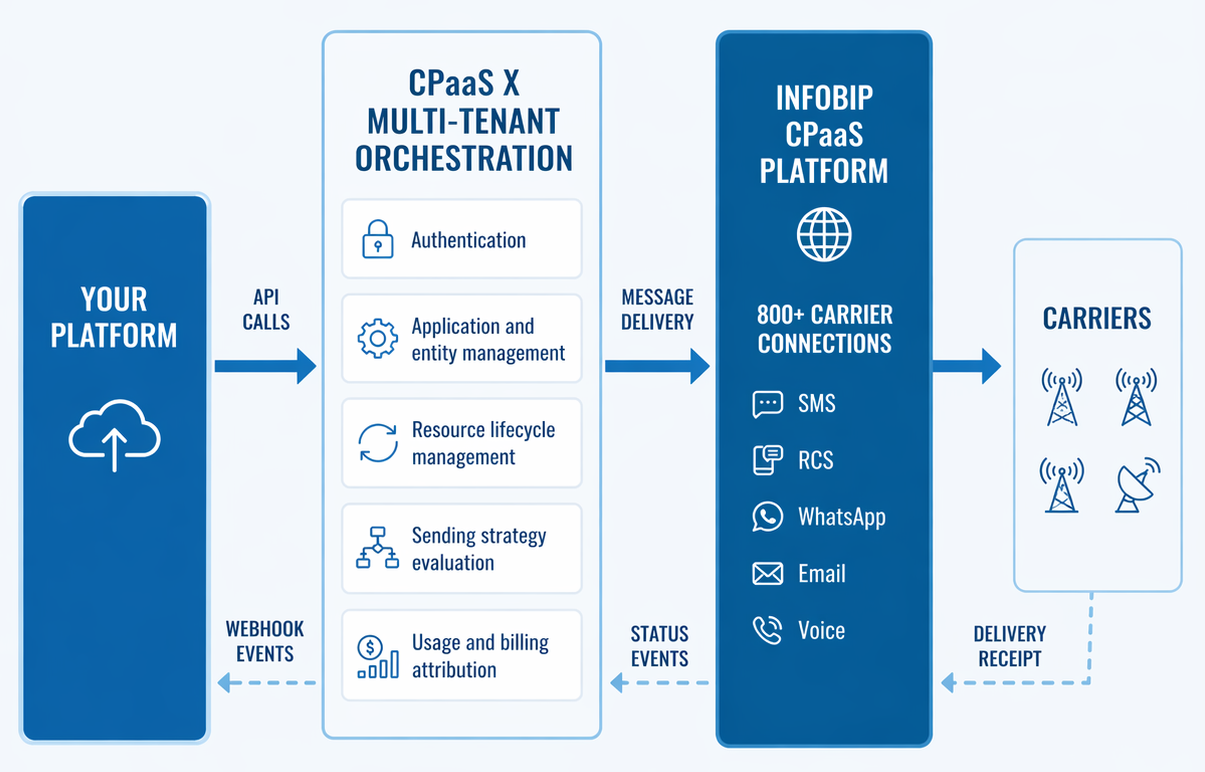
CPaaS X lets you offer communication services at scale:

Multi-tenant communication at scale
Serve hundreds or thousands of customers from a single Infobip account with each customer operating in complete logical isolation.
Learn more in Applications and entities.

Automated customer onboarding
Create applications and entities programmatically with no manual setup per customer and immediate access to all communication channels.
See Get started.

Complete data isolation and security
Use scoped API keys limited by entity, feature, or channel so customers can only access their own data.
See Security.

Flexible resource allocation
Assign shared or dedicated resources (phone numbers, sender IDs, email domains) to customers. Choose shared for cost efficiency, dedicated for branding, or hybrid models.
See Understanding resources.

Intelligent sender selection
Define sending strategies through the API to automatically select the best sender for each message. Route by geography, channel, and sender type.
See Sending strategies.

Per-customer billing and usage tracking
Track all messaging per customer across all channels and enable per-customer billing, usage tracking, and cost allocation.
See Metrics and reporting.

Real-time customer notifications
Subscribe to scoped events (delivery, bounces, responses) where each customer sees only their events through webhooks.
See Webhook subscriptions.
Available channels [#channels]
CPaaS X supports more than 13 communication channels. Each channel is accessible through its dedicated API. Many channels are also available through the unified Messages API, which provides a single endpoint for multi-channel messaging.
 SMS
SMS MMS
MMS Email
Email WhatsApp
 RCS
RCS Viber
Viber Voice and Video
 Apple Messages
 Messenger
 Instagram
 LINE
LINE KakaoTalk
 Zalo
ZaloWhen you send a message, CPaaS X identifies the correct tenant through the application and entity in your request, routes it to the appropriate sender, and tracks delivery back to that specific tenant.
Core concepts [#core-concepts]
How CPaaS X works: Message flow [#how-it-works]
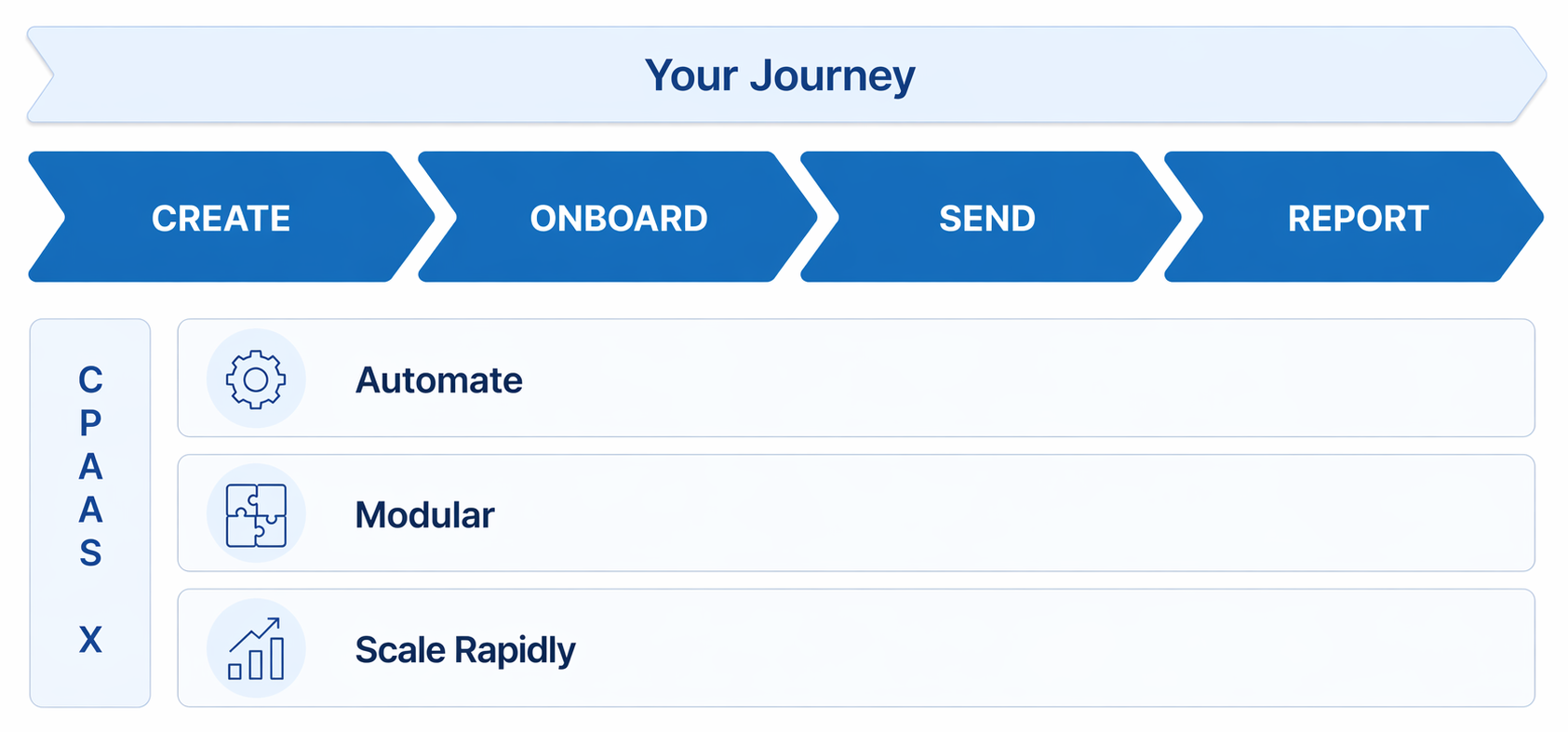
With CPaaS X, your platform can independently onboard customers, handle traffic at scale, and provide usage visibility: all with modular flexibility.
Every message passing through CPaaS X follows a consistent flow that ensures correct customer attribution, proper authentication, intelligent routing, and accurate billing. The following describes what happens when your customer sends a message:
Your platform calls a sending API (SMS, Email, Voice, and more)
- Entity and application are included as parameters in the request, along with recipient and message content.
- Sender is required unless sending strategies and resource associations are configured.
- Verifies API key has permission for the specified entity (if entity scoping is configured).
Sender selection (two paths)
- If sending strategy and resource associations are configured: Automatic routing selects a resource based on message attributes (country, channel) with fallbacks if unavailable.
- If not configured: Customer must explicitly specify the sender in the request.
- Enriched with entity ID and application ID, then passed to the Infobip platform for delivery.
- Carrier returns receipt.
- Status attributed to customer entity.
- Event scoped to customer entity.
- Includes delivery status and details.
- Usage attributed to customer entity.
- Available in metrics and reporting APIs.
Get started with CPaaS X
Create your first application and entity.
Applications and entities
Core concepts and multi-tenant architecture.
Sending strategies
Resource associations and automatic routing.
Secure your CPaaS X setup
API keys and security best practices.