Send your first Viber message
To use Viber Business Messages on the Infobip platform, you need to meet the following requirements:
- Create an Infobip account (if you do not already have one) by completing the platform onboarding.
- Enable your Viber configuration and obtain approval from Viber.
Start your free trial
Each channel has its own free trial. The Viber free trial lasts 14 days. It starts when you create your account, if you select Viber during sign-up, or when you add Viber to your account. During the trial, you are assigned Infobip's test sender. Use this Infobip-branded sender to test your Viber communication.
Limitations:
- You can send 100 free Viber messages.
- You can only send messages to verified numbers.
- To start sending live traffic, register a dedicated Viber sender during the onboarding process in our web interface. You can register a sender during the free trial.
The free trial ends when you exit the free trial for Viber or when it expires. Viber then moves to production mode.
Upgrade to a paying account
When ready, you can upgrade to a paying account. Select the Add funds options at the top of the page and choose a billing option.
Adding funds does not end the Viber free trial. To send messages to unverified recipients, exit the free trial for Viber. If your free trial has expired, Viber is already in production mode. Add funds to continue sending messages.
Start using Viber
Once you have registered for an Infobip account and started your free trial, you can send your first Viber message! 
-
Start using Viber on our web interface. At the top of the page, select whether you are a business user or a developer:
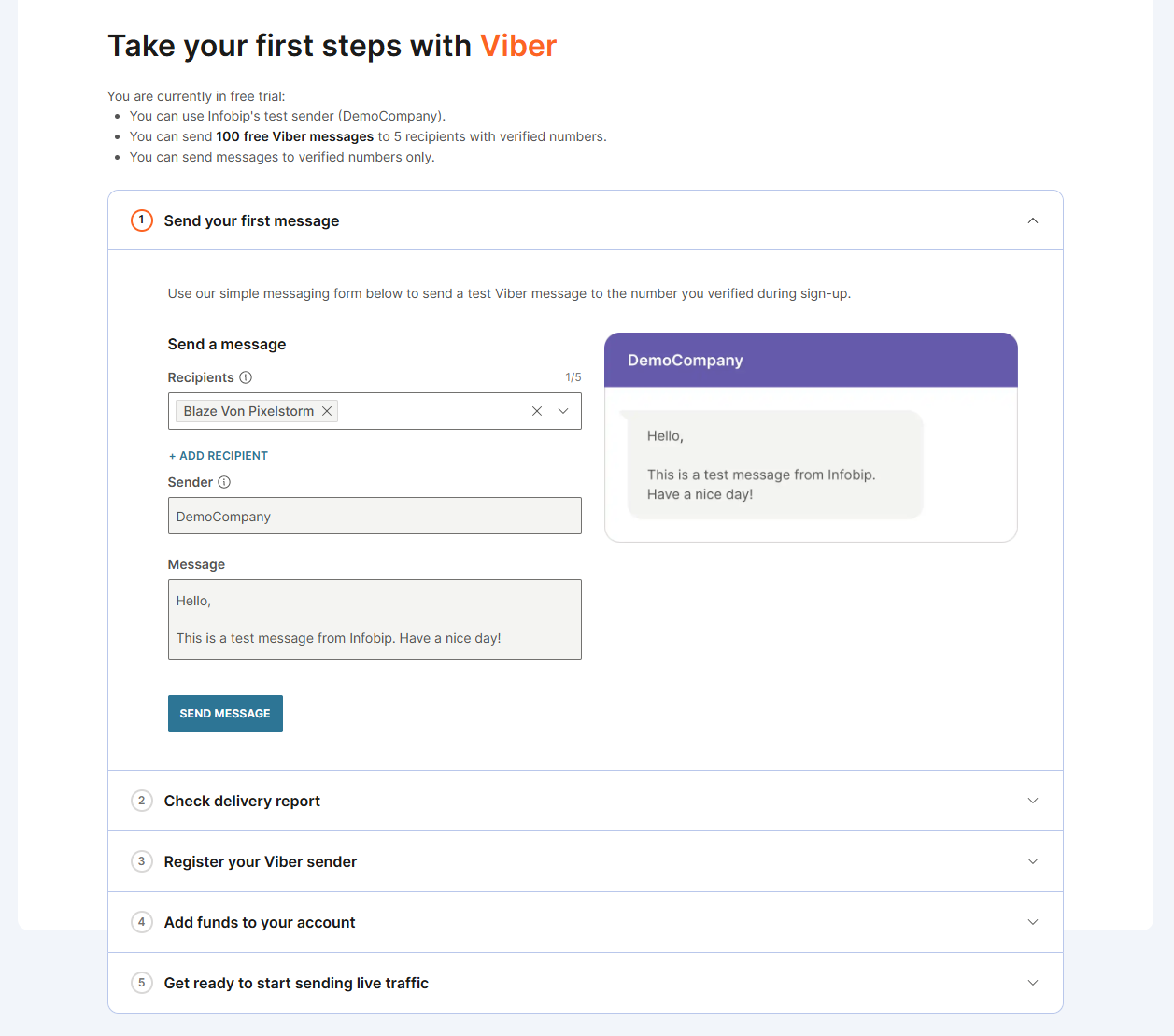
- Business users can test messages directly in the web interface.
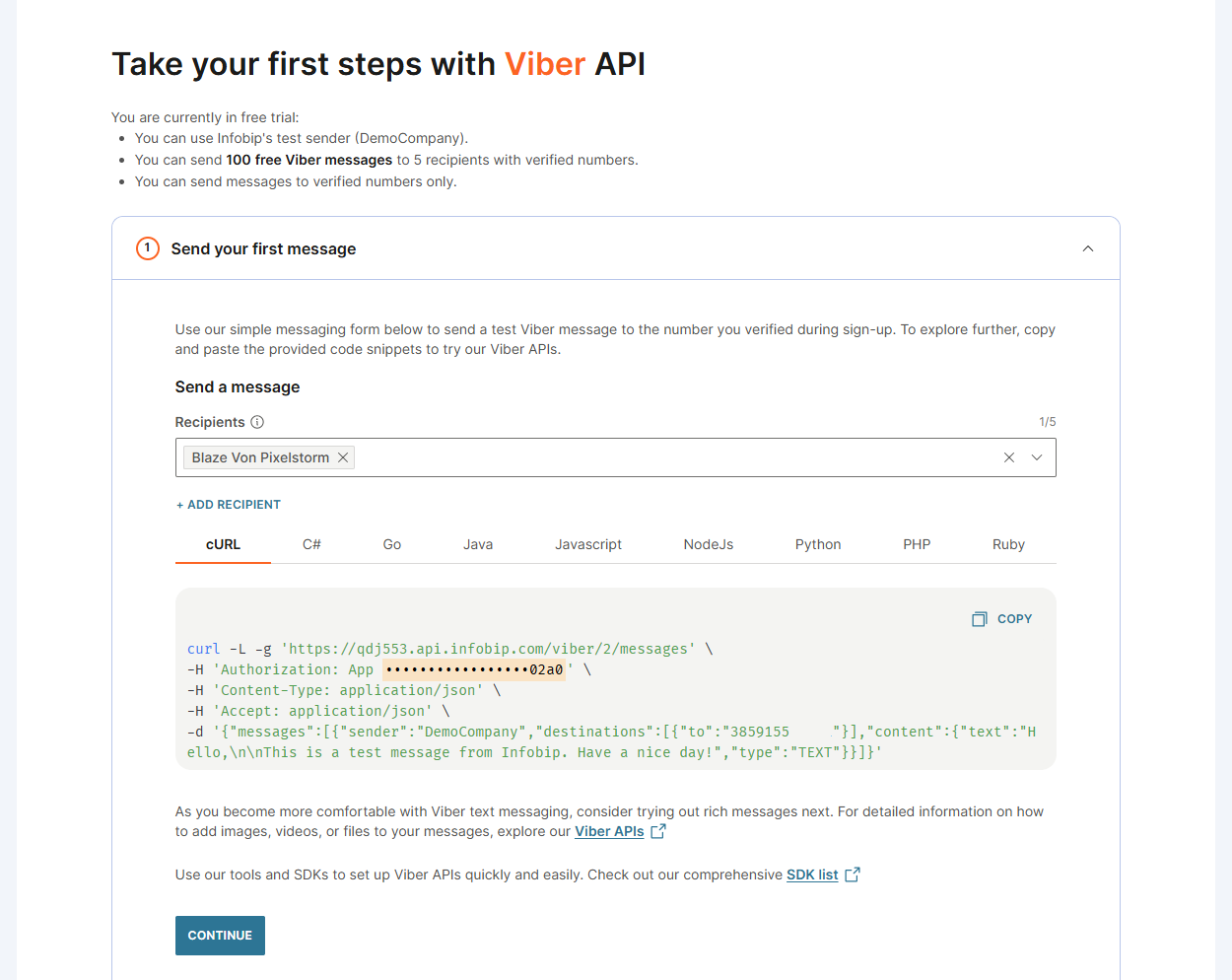
- Developers can send test messages using the ready-made API request.
Business user experience
Developer experience
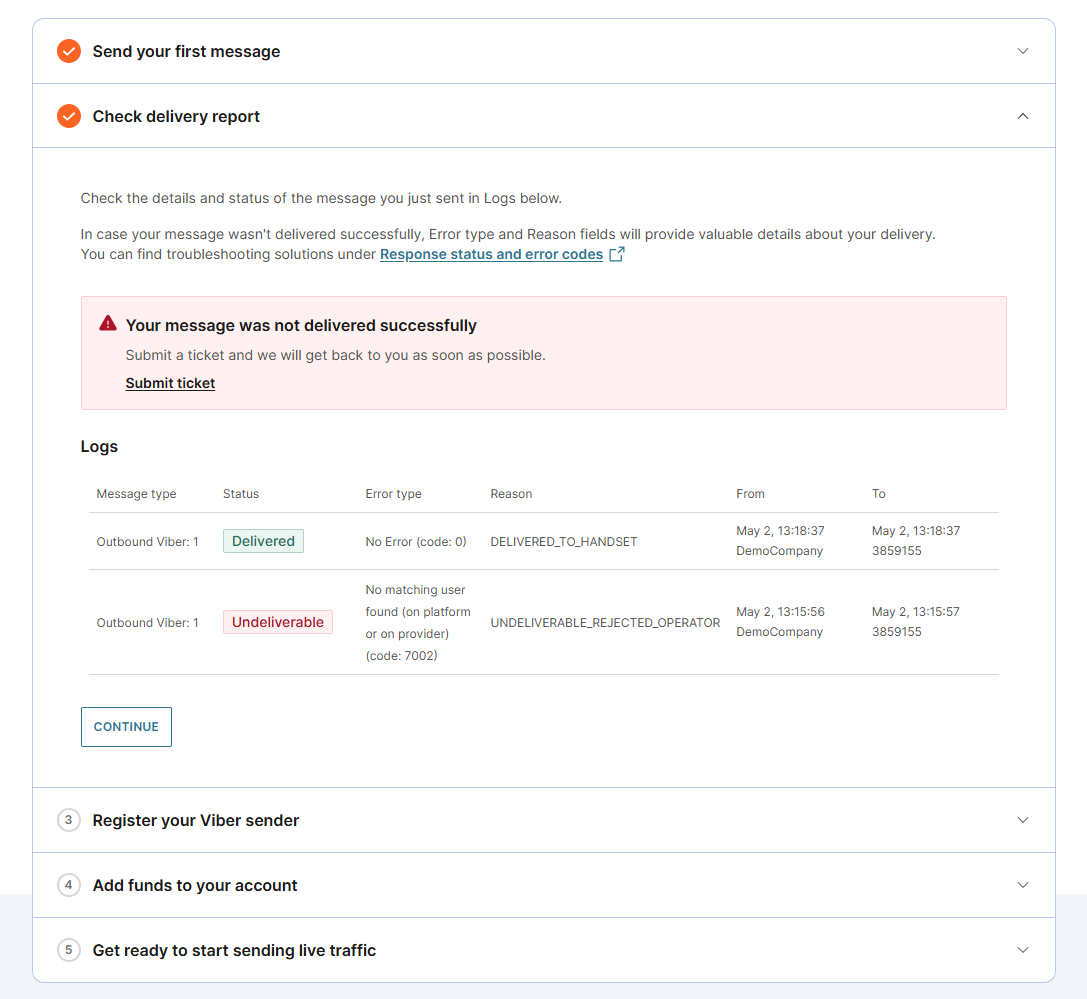
- After sending a test message, check the delivery report to confirm successful delivery. If delivery fails, review the response status and error codes to identify the issue.
-
Register a Viber sender
- To start sending live messages to customers, you must register a Viber sender.
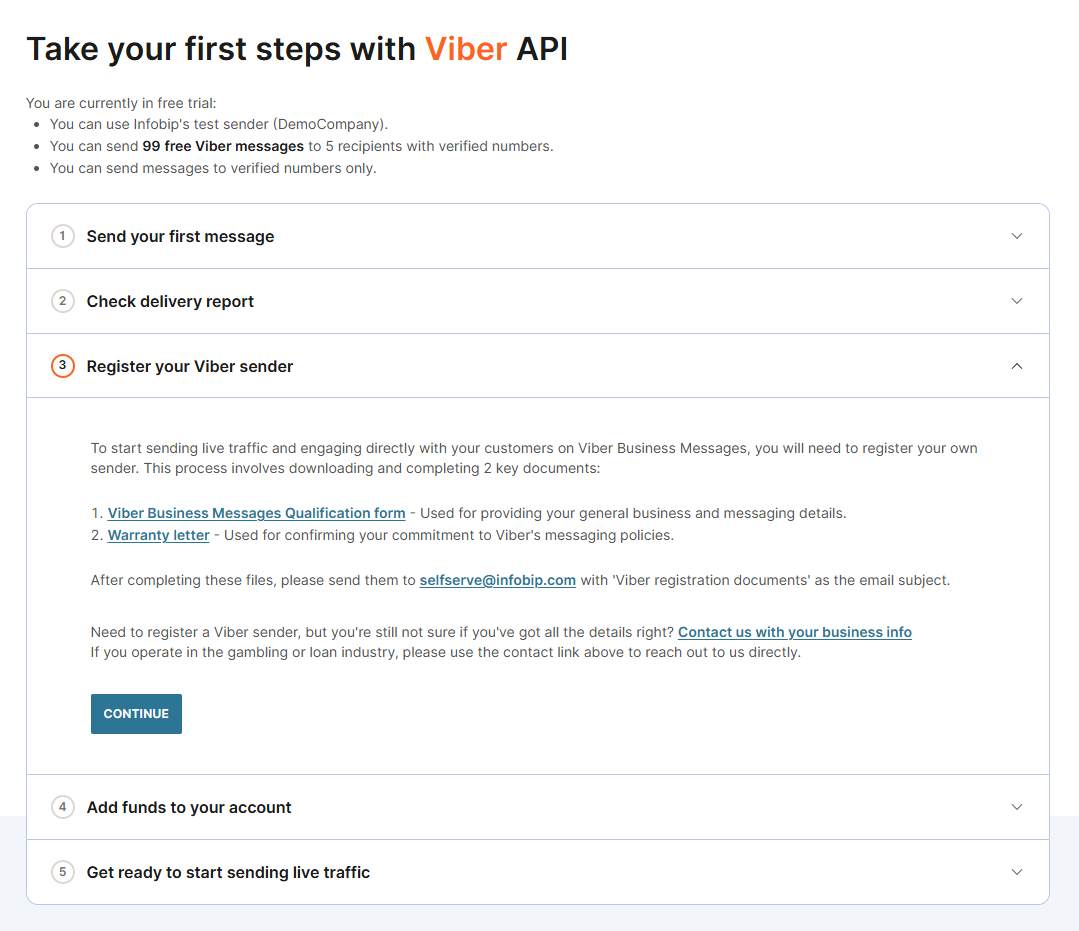
- Download the two documents from our web interface, fill them in and send them to our Support with "Viber registration documents" as the subject.
- Viber Business Messages qualification form: Complete this form to register a Viber sender. It includes details about message types, destination countries, and technical setup.
- Warranty letter: Sign this letter to confirm consent-based messaging and compliance with Viber's verified sender rules.
- You can also reach out to us using the contact form. Click the Contact us with your business info link.
-
(Optional) Upgrade your account
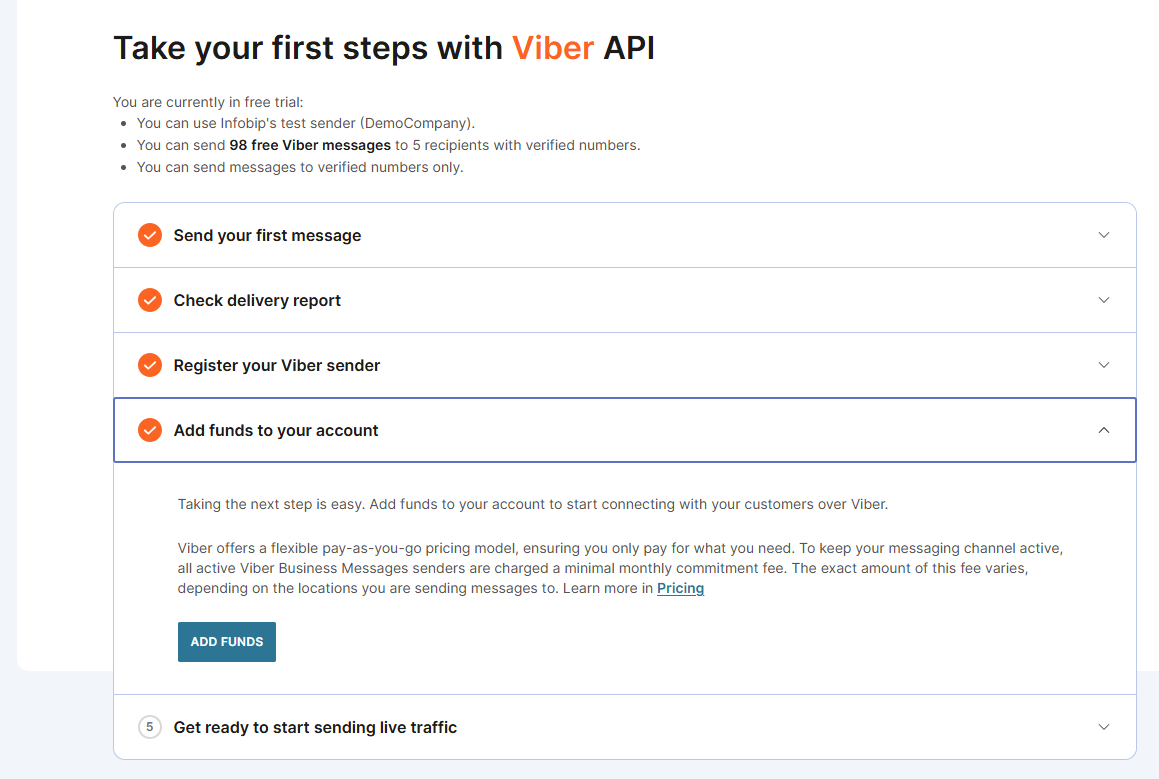
- To upgrade your account now, select Add funds and follow the steps to become a paying account.
- To upgrade your account at a later time, select Add funds at the top of the web interface.
You are now ready to explore the Infobip platform and leverage Viber for customer communication! 
Was this page helpful?