Get started with TikTok
This page explains how to set up TikTok Business Messaging with Infobip and prepare your environment for sending and receiving messages.
To use TikTok Business Messaging, you must connect a TikTok Business Account to Infobip. For API-specific setup, including webhooks and event subscriptions, see TikTok over API.
Prerequisites for TikTok with Infobip [#prerequisites-for-tiktok-with-infobip]
Make sure your TikTok account follows all TikTok Community Guidelines ↗.
Before you begin, make sure you have the following:
- An active Infobip account with access to Infobip web interface
- A TikTok Business Account ↗
To use TikTok Business Messaging, your business must have a TikTok Business Account. If you do not already have one, switch your personal account to a business one ↗ from the TikTok mobile app or the web.
Availability, permissions, and supported features depend on TikTok policies and regional restrictions.
TikTok conversations must be initiated by the user. You can reply to a user only after they send the first message to your business.
Integrate TikTok with Infobip [#integrate-tiktok-with-infobip]
Connect TikTok and Infobip [#connect-tiktok-and-infobip-integrate-tiktok-with-infobip]
To enable messaging, connect your TikTok Business Account to Infobip.
-
In the Infobip web interface, go to Channels and Numbers > Channels > TikTok.
-
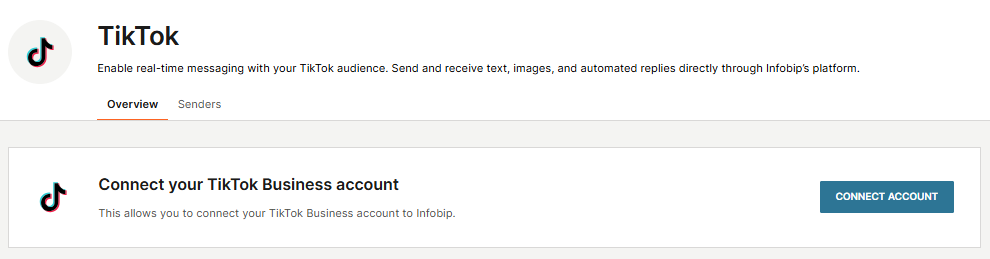
On the Overview tab, in the Connect your TikTok Business account section, select Connect account.
-
Sign in with your TikTok Business Account and grant the requested permissions.
After a successful connection, your TikTok Business Account ID appears as a sender on the Senders tab and you can use it in the from field when sending TikTok messages through Infobip API.
TikTok over API
Configure API keys, webhooks, and event subscriptions.
Send and receive messages
Send and receive TikTok messages using Infobip APIs.
TikTok message types
Review supported text, image, and share post formats.
Delivery and seen reports
Monitor delivery and seen events for outbound messages.