Get started
Voice AI agents is available as an Early Access feature. To get access or learn more, contact your dedicated account manager or Support.
Transfer call to AI agent element
Use the Transfer call to AI agent element to hand over an active call from the IVR flow to a real-time Voice AI agent. This enables natural, conversational handling of the call using speech recognition, intent detection, and Generative AI.
When the call reaches this element in the flow, the IVR transfers control to the selected AI agent. After the agent completes its task, the call always returns to the IVR, with information on why the call returned.
For more information about AI agents, see the AI agents documentation. For an overview of Voice AI agents, see Voice AI agents.
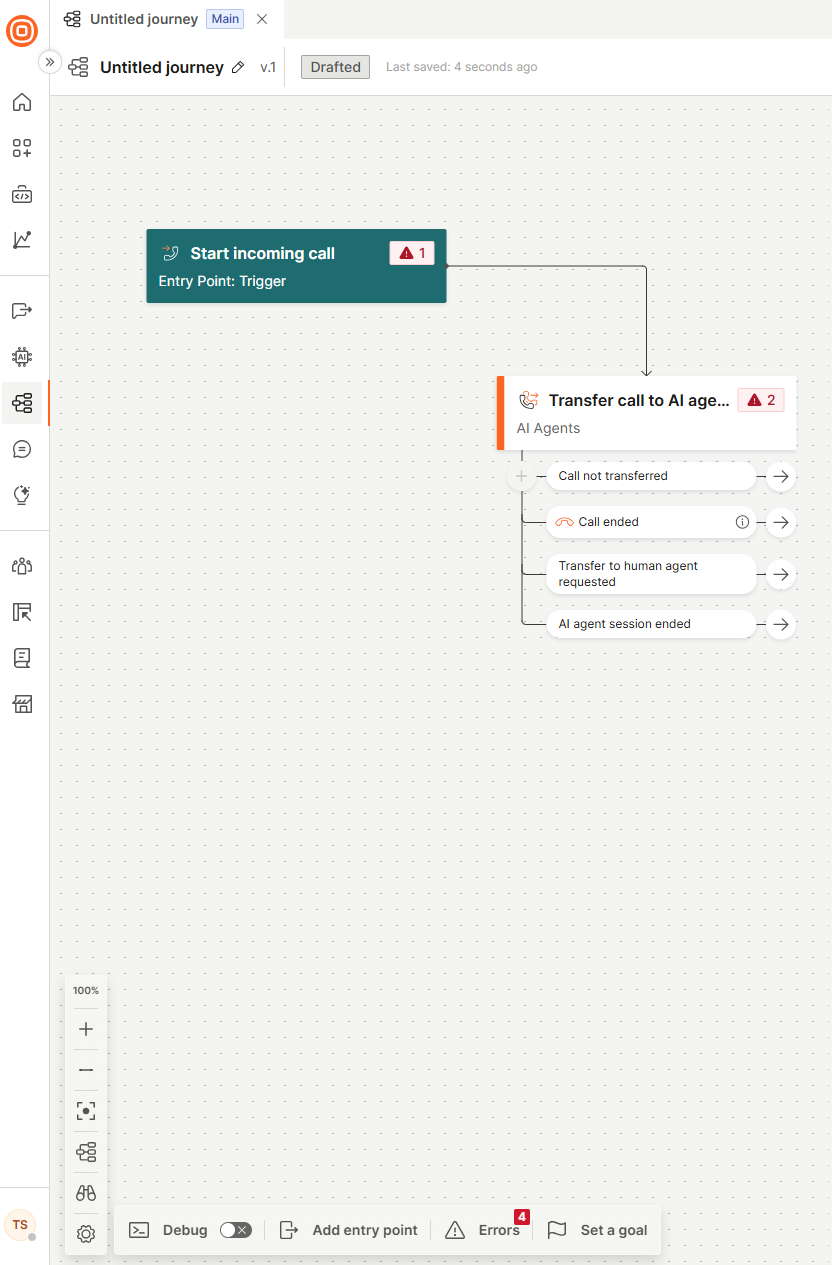
In the side panel of the element, configure the following fields:
AI agent
Select the AI agent that handles the call and the version it runs:
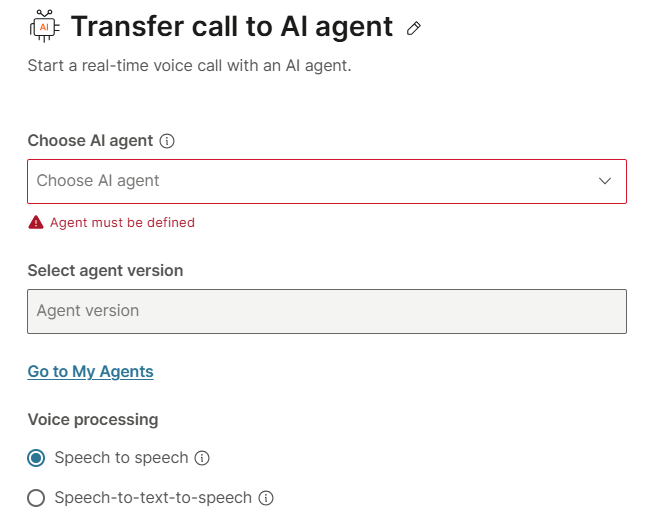
- Choose AI agent: This is a mandatory field. From the menu, select an AI agent you previously created on the My Agents page.
- Select agent version: Select an agent version.
Voice processing
Select the processing type for the AI agent:
- Speech to speech: A single AI model listens and responds in voice directly, without converting to text. This enables faster responses and a more natural tone, but may result in higher per-minute costs.
- Speech to text to speech: Voice is first transcribed into text, processed by a language model, and then converted back into speech. This approach is more cost-effective and offers greater control and easier debugging, but introduces additional latency due to the extra processing steps.
Use the following comparison to choose the voice processing type that best fits your use case:
| Consideration | Speech to speech | Speech to text to speech |
|---|---|---|
| Languages supported | English | Wide range. Check the language configuration in the web interface. |
| End-to-end latency | Lowest (approximately 250 to 500 ms) | Good (approximately 500 to 1500 ms) |
| Transcript availability | Available. Useful for quality review. | Available. Useful for quality review. |
| Voice naturalness | Very high. Native audio model. | High. Depends on voice selection. |
| Best for | English-only, latency-critical use cases | Multi-language, cost-sensitive, or compliance-driven deployments |
Depending on the voice processing type you selected, continue to Speech to speech or Speech to text to speech to finish configuring the element.
Manage call session outcomes
Handle what happens after the call session ends using the element branches.
Prepare Voice AI agent for launch
Write voice prompts, verify your setup, and test before going live.
Voice AI agents overview
Learn how Voice AI agents extend AI agents with voice-specific capabilities on voice calls.
Was this page helpful?