Using Infobip MCP servers
This page explains how to connect your AI agents to Infobip MCP servers, authenticate, and start using them.
Get started with Infobip MCP servers
To use MCP servers, you need an Infobip account.
- Sign up for a free Infobip account.
- A free trial account includes messaging units you can use to test MCP.
- During the free trial, messages can only be sent to verified numbers.
- Choose an authentication method.
- Choose an MCP server from the list of available MCP servers.
To follow a hands-on guide, see Connect to an Infobip MCP server. For Claude Desktop, see Integrate the Infobip MCP server with Claude Desktop.
Authentication
You can connect to MCP servers with either an API key or OAuth 2.1.
API key [#api-key-authentication]
If your MCP client supports adding additional headers through configuration or environment variable, you can use your Infobip API key.
About Infobip API keys:
- You are automatically assigned an API key when your account is created.
- Your API key must include the correct scope depending on the MCP server you want to integrate. For example, if you want to use the
SMS MCP server, your API Key needs thesms:message:sendscope. Find out more about scopes in API Authorization.
To use an MCP server with an API key:
-
Copy the API key from the API keys page.
-
Add the key to your chosen MCP client as an
Authorizationheader.bashAuthorization: App ${INFOBIP_API_KEY} -
Restart your MCP client.
OAuth 2.1 [#oauth-2-1-authentication]
Infobip MCP servers support OAuth 2.1 authentication. You do not add credentials to your MCP client configuration. Instead, you log in to your Infobip account when your MCP client starts the OAuth flow.
Your MCP client must support:
- OAuth 2.1 authentication
- dynamic OAuth authorization server metadata discovery(opens in new tab).
To use an MCP server with OAuth:
-
Add the MCP server URL to your MCP client configuration. Make sure the configuration doesn't include an
Authorizationheader.json1{2 "mcpServers": {3 "infobip-sms": {4 "type": "http",5 "url": "https://mcp.infobip.com/sms"6 }7 }8} -
Restart your MCP client and connect to the server. Depending on your client, the OAuth flow starts automatically or when you sign in from the client, for example, with the
/mcpcommand in Claude Code. The client redirects you to the Infobip OAuth server for authentication.
Discovering supported scopes [#discovering-supported-scopes]
Each Infobip MCP server lists the OAuth scopes it requires in two places:
- The
scopeparameter of theWWW-Authenticateheader in the401 Unauthorizedresponse - The
scopes_supportedfield of the protected resource metadata at{server-url}/.well-known/oauth-protected-resource
Most MCP clients read these scopes automatically(opens in new tab). Some clients do not use the advertised scopes in all flows, because this part of the specification is optional. If your client does not request the scopes, configure them manually in your client settings.
For example, https://mcp.infobip.com/sms/.well-known/oauth-protected-resource returns the scopes for the SMS MCP server. The following excerpt shows the relevant fields:
Available MCP servers [#available-endpoints]
Infobip MCP servers follow a consistent base URL pattern: https://mcp.infobip.com/{mcp-tool}. Each server is independent and exposes tools specific to that product. Use the following tables to find the MCP server you need, then configure your MCP client.
Messaging channels [#messaging-channels-available-endpoints]
| Server | Server URL | Features |
|---|---|---|
| Message | https://mcp.infobip.com/message | Send text messages and links to images or files over SMS, MMS, RCS, or Viber, check delivery status |
| SMS | https://mcp.infobip.com/sms | Send and preview messages, schedule and reschedule, bulk sending, multilingual support (transliteration, character sets), delivery reports, message logs, URL tracking |
https://mcp.infobip.com/email | Send email messages, send bulk messages, schedule and manage scheduled email and bulk email messages, validate email address | |
https://mcp.infobip.com/whatsapp | Send template messages, send text/media (text, document, image, audio, video, sticker), send location/contact messages, template management (create, edit, delete, retrieve), delivery reports, message logs, SMS failover | |
| WhatsApp Flow | https://mcp.infobip.com/whatsapp-flow | Create and manage static/dynamic flows, generate flow structure, manage flow JSON, send interactive flows, preview flows, add and manage interactive components (forms, buttons, checkboxes) |
| Viber | https://mcp.infobip.com/viber | Send messages with rich media (images, videos, files, URLs), delivery reports, message logs, scheduling, SMS failover, URL tracking |
| RCS | https://mcp.infobip.com/rcs | Send rich messages (multimedia, suggested replies, carousels, barcodes), delivery reports, message logs, capability check, SMS/MMS failover |
| Voice | https://mcp.infobip.com/voice | Single and multi-recipient voice calls, text-to-speech, pre-recorded audio, call management, conference calls, voice list management, delivery reports, call logs |
| Mobile App Messaging | https://mcp.infobip.com/mobile-app-messaging | Send push notifications, delivery reports, message logs, push statistics, push application management, inbox message management |
Provisioning [#provisioning-available-endpoints]
| Server | Server URL | Features |
|---|---|---|
| Provisioning EARLY ACCESS | https://mcp.infobip.com/provision | Channel registration workflows, sender registration, number purchase, registration plan and requirements, progress tracking, status checks. See Provision MCP for details. |
Observability [#observability-available-endpoints]
| Server | Server URL | Features |
|---|---|---|
| Observe EARLY ACCESS | https://mcp.infobip.com/observe | Read-only traffic metrics, billing usage, status and error code lookups, cross-channel message logs. See Observe MCP for details. |
Authentication and verification [#authentication-and-verification-available-endpoints]
| Server | Server URL | Features |
|---|---|---|
| 2FA | https://mcp.infobip.com/2fa | Application management, message templates (SMS/Email), send PIN (SMS/Voice/Email), resend and verify PIN, PIN verification status |
| CAMARA | https://mcp.infobip.com/camara | Number verification authorization, verify number, device location verification, SIM swap check, SIM swap date retrieval, KYC match |
Customer data and platform management [#customer-data-and-platform-management-available-endpoints]
| Server | Server URL | Features |
|---|---|---|
| People | https://mcp.infobip.com/people | Manage Person profiles, add and manage company profiles, tags, custom attributes and lists, track and export events, audience segmentation |
| Account management | https://mcp.infobip.com/account-management | Account balance, free messages count, total balance, manage and update account details, audit logs |
| CPaaSX applications and entities | https://mcp.infobip.com/application-entity | Create and manage applications and entities, resource associations, inbound message configuration, list resources, coverage lookup, resource request submission and tracking |
Context [#context-available-endpoints]
| Server | Server URL | Features |
|---|---|---|
| Person context EARLY ACCESS | https://mcp.infobip.com/context | Person summary, interaction memories (summary, sentiment, facts, topics), memory search by meaning and keywords with optional time window, single-interaction lookup, list and create fact definitions. Requires Context to be enabled for your account. |
Developer resources [#developer-resources-available-endpoints]
| Server | Server URL | Features |
|---|---|---|
| Infobip Docs | https://mcp.infobip.com/search | Search through Infobip documentation, use cases, product guides |
| Infobip Deep Research | https://mcp.infobip.com/deep-research | Let deep research models search and retrieve Infobip documentation as a data source for automated, multi-step research tasks |
Streamable HTTP transport is the current standard for Infobip MCP servers.
If you need SSE transport support for legacy connections, append /sse to the server URL (for example, https://mcp.infobip.com/sms/sse.)
Transport options [#transport-options-available-endpoints]
Infobip MCP servers support different transport methods to handle requests and responses, depending on your client’s capabilities.
- HTTP: Streamable HTTP transport(opens in new tab) (default)
- SSE (Server-Sent Events): Use for legacy clients that do not support streamable HTTP. Append
/sseto the server URL, for example,https://mcp.infobip.com/sms/sse.
Example configuration (HTTP) [#example-configuration-http-transport-options]
The following configuration shows how to connect directly to an Infobip MCP server over HTTP. This is the most common setup used by AI applications that support remote MCP servers.
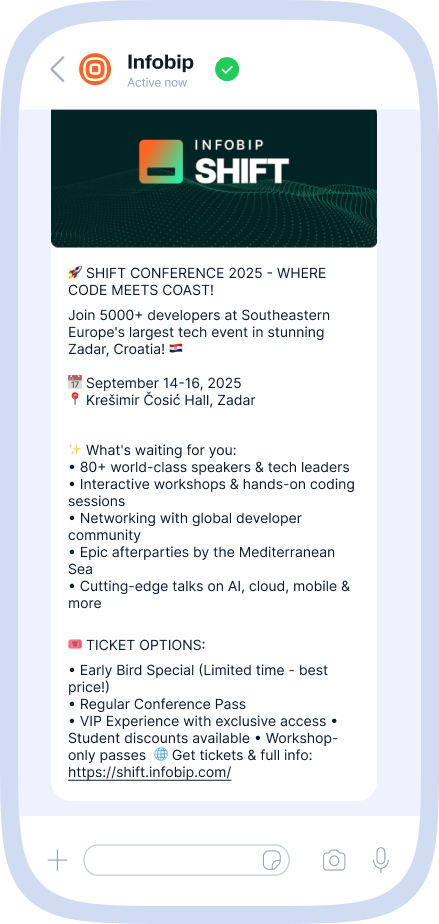
Here's how a successful WhatsApp message might look like:
Agent permission and access control
When managing AI agent permissions, it is important to apply stricter controls for sensitive tasks like sending messages. Granting permanent, unrestricted access can create significant security and operational risks. AI agents with persistent permissions can:
- Send messages without human oversight during unexpected behavior or prompt injection attacks
- Generate substantial costs through automated message campaigns that bypass approval workflows
- Create compliance violations by sending messages that don't meet regulatory requirements
- Damage customer relationships through inappropriate, mistimed, or excessive communications
Refer to the MCP implementation guidelines(opens in new tab) for more details.
Configure agent permissions following the principle of least privilege: grant only the minimum access necessary for the specific task at hand, for the shortest duration required.
Troubleshooting
Authentication and authorization issues [#authentication-troubleshooting]
- Ensure you have a valid Infobip account and API key with a correct scope.
- If using OAuth 2.1, verify your MCP client supports dynamic metadata discovery.
- Confirm that required scopes are correctly configured. See Discovering supported scopes.
Message delivery issues [#message-delivery-troubleshooting]
- Make sure the recipient phone number is valid and reachable.
- If in free trial, note that you can send messages only to verified numbers.
Error codes [#error-codes-troubleshooting]
- For a complete error codes list and descriptions, see Response status and error codes.
Keep your API key secure. Do not hardcode it in your source code or commit it to version control.

MCP guides
Hands-on guides for sending SMS, WhatsApp, and Viber messages with MCP servers.
Infobip MCP code examples
Demo projects for OpenAI Agents SDK, Semantic Kernel, Spring AI, and LangGraph.
Infobip MCP GitHub repository(opens in new tab)
Setup instructions, source code, and contribution guidelines.
Was this page helpful?